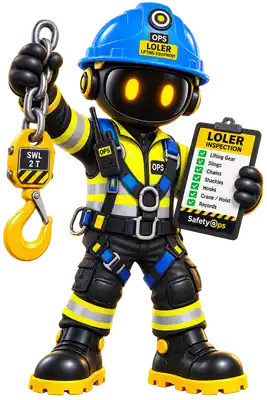
Forklift and lifting-equipment incidents are a leading warehouse risk — LOLER thorough examination history sits against each asset, not a maintenance folder in the office.
Solutions
Warehousing
Lifting equipment, workplace transport and equipment inspections for warehouse and distribution sites.
Overview
Warehousing operations depend on lifting and material-handling equipment staying compliant and visible. SafetyOps' LOLER, PUWER and Equipment Inspections modules keep that record in one place.
Common risks
- Forklift and workplace transport incidents
- Lifting equipment failure
- Racking and storage collapse
Applicable legislation
Recommended SafetyOps modules
Lifting equipment records
LOLER thorough examination history for forklifts and lifting gear.
Inspection scheduling
Equipment inspection due dates surfaced on the Dashboard.
Action-driven defects
Critical and high-severity defects raise Action Centre items automatically.
SafetyOps AI
How AI helps your team
Flags lifting-equipment risk early
SafetyOps AI recognises lifting and forklift-related scenarios during work analysis and highlights the LOLER considerations to check.
Keeps inspection dates visible
SafetyOps monitors thorough-examination due dates and highlights equipment approaching its next inspection.
AI helps, guides and highlights — it never replaces the judgement of a competent person, and SafetyOps never claims guaranteed legal compliance.
Typical workflow
- Register forklifts and lifting gear in the Equipment Register
- Log thorough examinations under LOLER
- Track inspection due dates from the Dashboard
- Defects automatically raise Action Centre items
On the move
Works from a phone or tablet browser today
Your team can already record and review this work from a mobile browser on site — no separate app to install. Offline drafting and QR-code equipment lookup are planned next; see what's available today and what's planned →
Frequently asked questions
- Does SafetyOps carry out LOLER examinations for us?
- No — LOLER thorough examinations must be carried out by a competent person. SafetyOps records the examination history and highlights when the next one is due.
- Can SafetyOps flag a forklift that's overdue an inspection?
- Yes. Overdue or upcoming inspections raise an Action Centre item automatically, so nothing is missed day to day.
- Does SafetyOps cover workplace transport risk assessments?
- Yes, alongside lifting equipment — Risk Assessments and Equipment Inspections work together to cover both.