

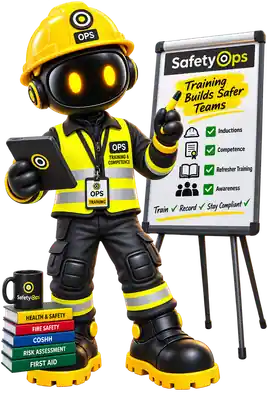
Course completions, expiry tracking and the training matrix all connect directly to the employee who holds them, instead of a spreadsheet kept separately.
Platform
Training & Competence
Training records, courses and expiry tracking, connected to the people who hold them.
Available
Overview
Training Management is an established module: course records, individual training entries, expiry tracking and a training matrix view across your workforce.
Induction sign-off supports both a typed-name confirmation and a genuine drawn signature — an employee or inducer can sign with their finger or mouse, not just type their name.
Training requirements can be attached to a Job Role, not just an individual — each requirement carries whether it's mandatory and how often it needs refreshing, so 'who needs what, and how often' is a real record rather than something a manager has to remember.
First aid cover is a good example of why this matters: a certificate sitting in a folder isn't enough if a manager can't quickly see who's trained and whether it's still current. SafetyOps doesn't train or certify first aiders — your own course and its certificate are what get recorded here, tracked exactly like any other required competence.
Why it matters
Expired training is one of the most common gaps found in an audit. Tracking expiry against a real record, not a spreadsheet, is how that gap gets caught before an inspector does.
Benefits
Course & record tracking
Add, edit and track training records against a defined course library.
Expiry visibility
See what's expiring soon directly from the training matrix.
Linked to Employees
Every training record is tied to the employee who holds it.
Digital signatures
Typed-name or hand-drawn signatures for induction acknowledgement and sign-off.
Workflow
- Define the courses your organisation requires, and which capability each one satisfies (e.g. a specific first-aid course satisfying 'trained first aider').
- Attach requirements to a Job Role where relevant — mandatory or not, with a refresher interval if one applies.
- Record training completions against each employee as they happen.
- The training matrix highlights what's expiring soon, across your whole workforce.
- Employee inductions are signed off with a typed name and, optionally, a drawn signature.
Connected across SafetyOps
Training ↔ Employees
Every training record and expiry date is tied to the employee who holds it — visible from their own profile, not a separate spreadsheet.
Training ↔ Job Roles
A requirement can be attached to a role — mandatory or not, with its own refresher interval — so what a role needs is defined once, not remembered per person.
Training ↔ Action Centre
A missing or lapsed requirement can be tracked through to a real, owned corrective action, not just a red flag on a matrix.
Interface
See training requirements tied to real roles
Courses, expiry tracking and role-linked requirements — including first-aid cover — in one place. Book a walkthrough, or see the full platform.
Frequently asked questions
Does SafetyOps provide or deliver training courses?
No — SafetyOps isn't a course marketplace or an LMS. It records the courses and certificates your organisation already uses, tracks completions and expiry, and matches them to the requirements and capabilities they satisfy.
Can expiry and renewal be tracked automatically?
Yes — every training record carries an expiry date, and the training matrix surfaces what's due soon or overdue across your whole workforce.
Can training requirements relate to an employee's role?
Yes — a requirement can be attached to a Job Role, marked mandatory or not, with its own refresher interval, rather than tracked informally per person.
Does SafetyOps provide first-aid training or decide how many first aiders we need?
No — SafetyOps doesn't train, certify, or assess your first-aid needs. It records your own first-aid course completions and certificates, matches them to the 'trained first aider' capability, and tracks who's current and who's due for renewal.
Know who's trained, who's current, and who's next.
Training records, role-linked requirements and expiry tracking — including first-aid cover — kept visible, not filed away.