
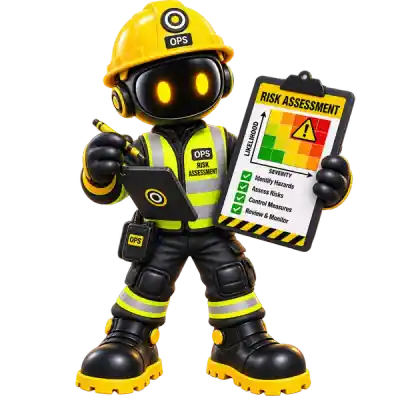
Hazards, existing controls, further controls and residual risk ratings connect into Fire, COSHH and the Action Centre, instead of sitting in a standalone document.
Platform
Risk Assessments
Structured risk assessments with initial/residual risk ratings and an AI-assisted builder.
Available
Overview
Risk Assessments are an established module: hazards, existing controls, further controls, and initial/residual risk ratings presented as a professional document rather than a spreadsheet.
An AI-assisted builder helps draft the initial analysis — every AI-drafted assessment remains in a reviewable state until a person confirms it.
Every SafetyOps risk assessment follows the same structure the Management of Health and Safety at Work Regulations 1999 (regulation 3) require a suitable and sufficient assessment to cover: who might be harmed, existing controls, an initial risk rating, further controls, and a residual risk rating once those controls are in place.
Why it matters
A risk assessment that's just a form nobody re-reads doesn't reduce risk. Structuring it as hazard → existing controls → further controls → residual risk keeps the assessment honest about whether controls actually worked.
Benefits
Full hazard structure
Persons at risk, existing controls, further controls and risk ratings, per hazard.
Human review, always
AI-assisted drafts are reviewed and confirmed by your team before they're final.
Feeds every compliance centre
Risk Assessments connect into Fire, COSHH and the Action Centre.
Workflow
- Describe the work — manually, or via SafetyOps AI's work analysis.
- Record each hazard: who might be harmed, and the existing controls already in place.
- Rate the initial risk (likelihood × severity), then agree further controls with a responsible person and target date.
- Rate the residual risk once further controls are in place, and a competent person reviews and confirms the assessment.
- Employees acknowledge the confirmed version that applies to their work — and are automatically shown as needing to re-acknowledge if the assessment is later updated.
Connected across SafetyOps
Risk Assessments ↔ COSHH
Link a risk assessment directly to the substance or COSHH assessment it concerns — its hazard information shows inline, so a reviewer isn't bouncing between two modules.
Risk Assessments ↔ Action Centre
Further controls with a responsible person and target date become findings the Action Centre tracks through to close-out, not a note in a document nobody revisits.
Risk Assessments ↔ Incidents
An incident investigation can link back to the risk assessment that covered the work, connecting what happened to what was already assessed.
Risk Assessments ↔ Employees
Employees acknowledge the specific version of an assessment that applies to them. If it's later updated, that acknowledgement is automatically tracked as out of date until they re-acknowledge.
Interface
See how SafetyOps turns hazards into evidence
From a described task to a reviewed, acknowledged risk assessment — book a walkthrough with your own scenario, or see how SafetyOps AI helps with the first draft.
Frequently asked questions
Does SafetyOps AI finalise a risk assessment on its own?
No — AI-assisted drafts always remain in a reviewable state until a competent person confirms them.
Can I still build a risk assessment without AI assistance?
Yes — the AI builder is optional; risk assessments can be created manually.
Can a risk assessment be reviewed and updated later?
Yes — and when it's updated, any employee who already acknowledged the previous version is automatically shown as needing to acknowledge the new one, so a stale sign-off doesn't sit unnoticed.
Turn hazards into evidence, not paperwork.
Structured assessments, AI-assisted drafting, and acknowledgement your team can actually prove — all in one connected system.